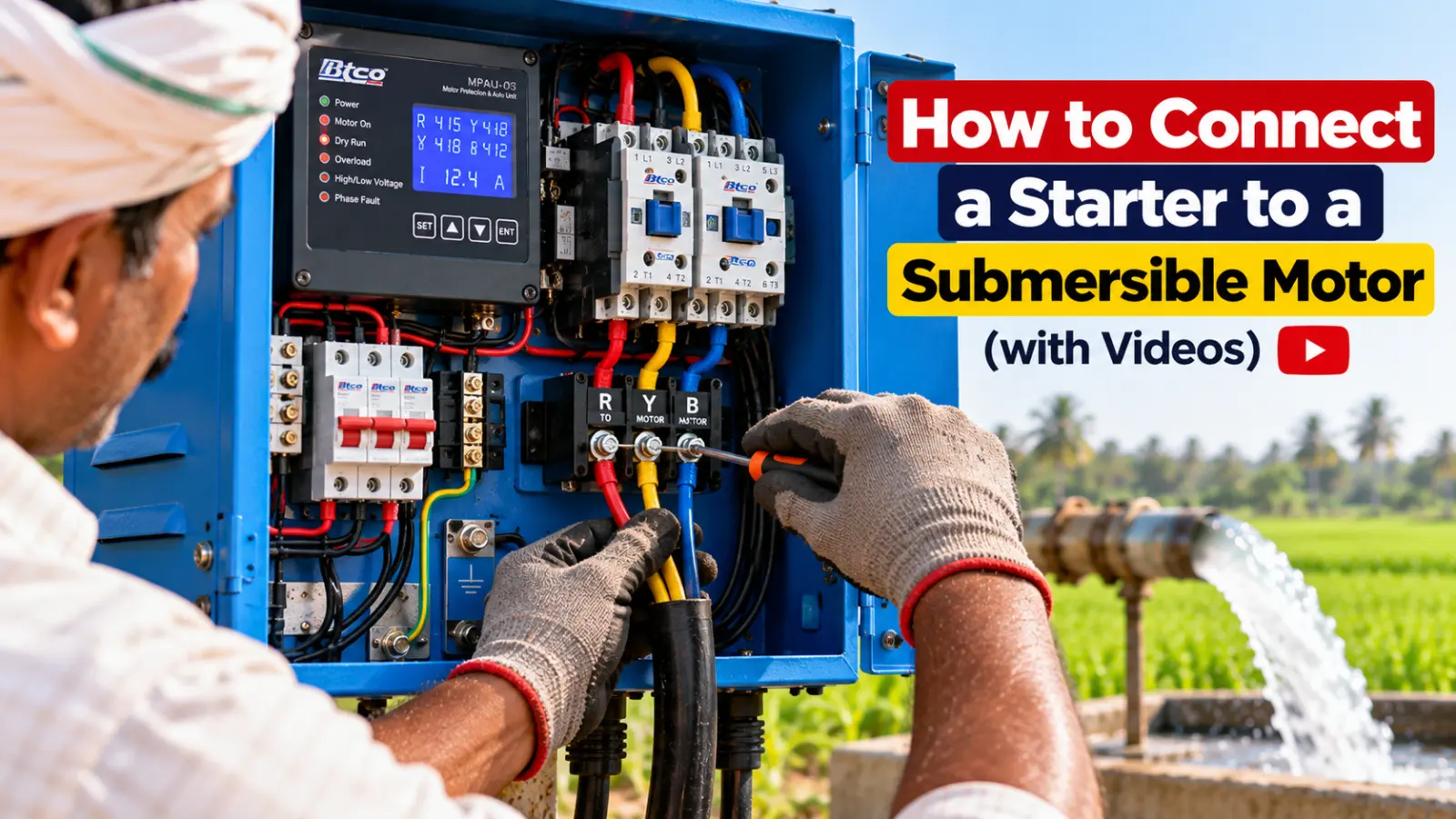
A good starter can only protect your motor if it is connected and set up right. This guide walks through how a starter is connected to a submersible motor, from mounting the box to the first test run, with BTCO’s own connection videos in Kannada, Telugu and English. Use it to understand the job and to check your electrician’s work.
Safety first: starter connection must be done by a licensed electrician. Switch off the mains and remove the fuses before touching any wiring. Never work on a starter with the power on.
Watch: connecting a BTCO starter
Before you start: check your motor
- HP and supply: single phase or three phase, and the HP on the motor’s plate.
- Single or double cable: a single cable motor (3 wires) uses a DOL starter; a double cable motor (6 wires) uses a star delta starter. From 7.5 HP both kinds exist. See DOL vs star delta.
- The right starter for that HP and cable. Not sure? Use the starter finder.
Step by step
1. Mount the starter
Fix the starter firmly on a wall or a pole, at a comfortable height, out of rain and direct water, with the door able to open fully. Keep the cable entries at the bottom, so water can’t run into the box.
2. Make the earth connection first
Connect the starter body to a proper earth before anything else. A good earth protects people from shock and lets the starter’s grounding protection detect leakage early. See earthing for borewell starter and motor.
3. Connect the incoming supply
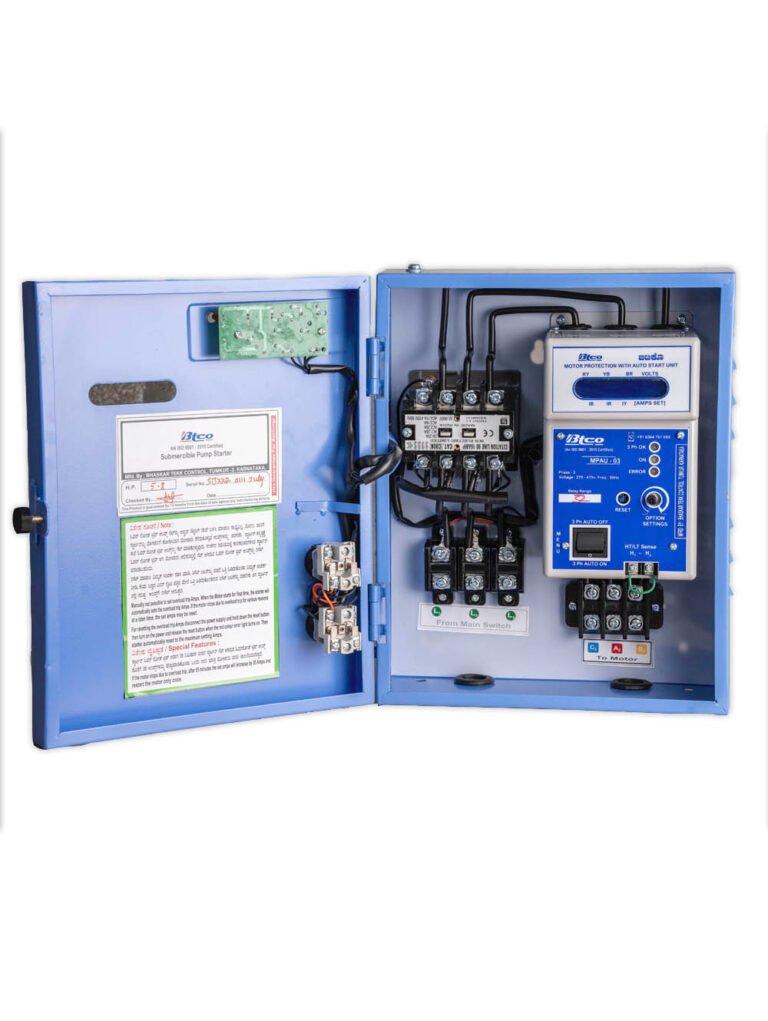
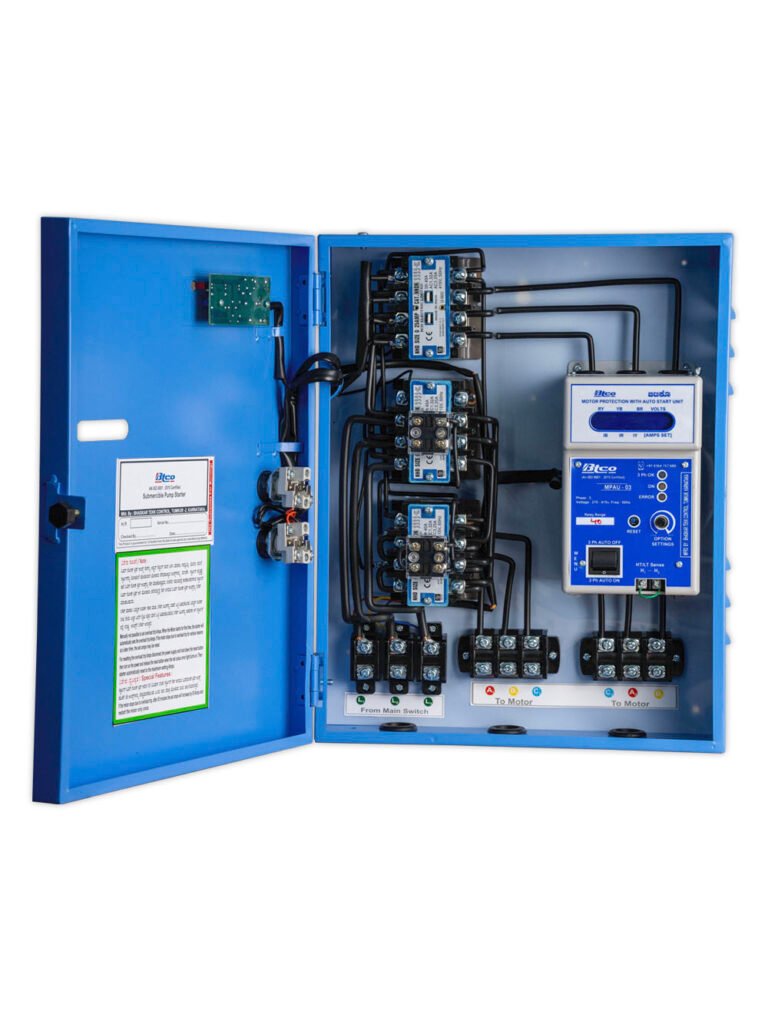
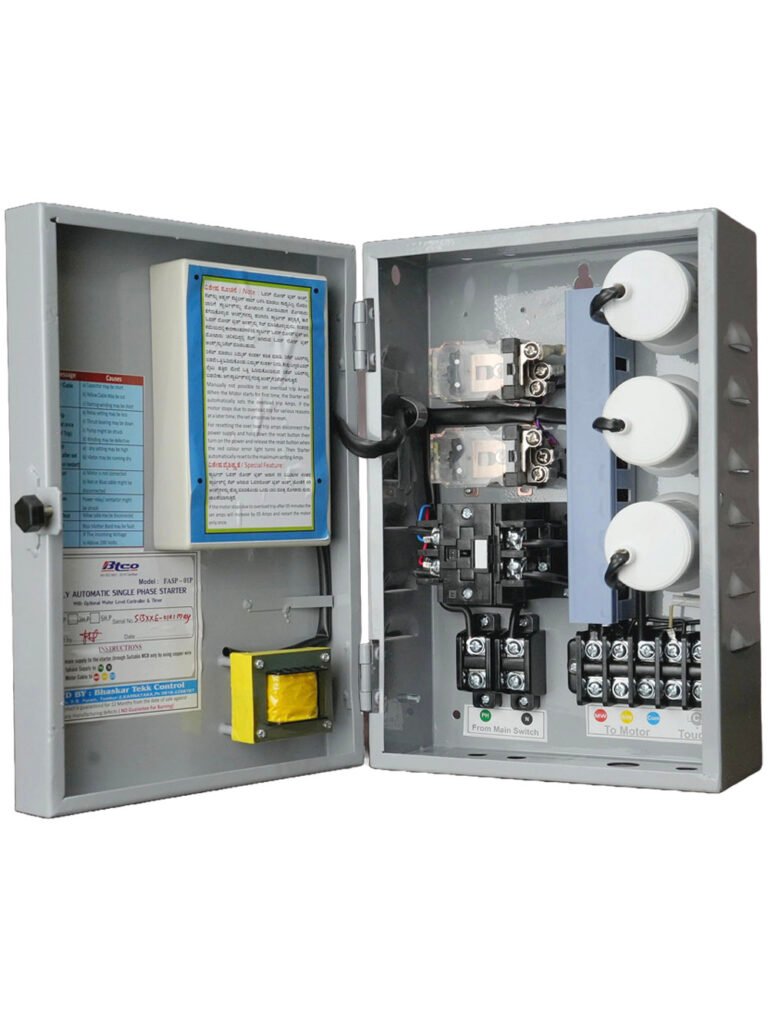
The supply comes from the meter through a main switch and fuses (or an MCB) to the starter’s input terminals: three phases for a 3 phase starter (R, Y, B), phase and neutral for a single phase starter. Use cable of the right size, tighten every terminal well, and don’t leave bare copper showing.
4. Connect the motor cable
The submersible cable from the borewell goes to the starter’s output (motor) terminals:
- DOL starter: the 3 wires of the single cable.
- Star delta starter: the 6 wires of the double cable, each to its marked terminal, exactly as the starter’s wiring diagram shows.
- Single phase starter: the motor wires as marked; the starting capacitors are inside the BTCO Single Phase starter.
Check the motor cable and its joint before lowering the pump. Read cable size for submersible pump.
5. Set the starter
Before the first run, set up the BTCO starter’s protection unit. The videos show each setting:
- The clock time, if you use the RTC timer.
- The auto start delay: how long it waits after the power comes.
- Dry run protection and the dry restart time.
- On a star delta starter, the star delta changeover time.
The overload trip amps are set automatically for your motor, so there is nothing to adjust there. If you ever need to reset them, there’s a video for that too.
6. First test run
Close the starter door, switch on the mains and let the starter start the motor. Then check:
- All three phase lights are on (3 phase starters).
- Water comes out properly.
- The current on the display is about the same on all three phases, and in the normal range for your motor.
- No trip message appears.
If the starter shows a message, look it up in BTCO starter error messages.
Common connection mistakes that burn motors
| Mistake | What it causes |
|---|---|
| No earth, or a loose earth wire | Shock danger; leakage goes unnoticed until the motor burns |
| Loose terminals | Heat at the terminal, a missing phase, single phasing |
| Thin supply or motor cable | Voltage drop, high current, overheating |
| Poor cable joint under water | Earth leakage and cable faults |
| Bypassing the starter “to test” | The motor runs with no protection at all |
| Dry run protection left switched off | The motor runs dry and burns |
Add mobile control
Any BTCO starter can become a mobile starter: the BTCO GSM Module lets you switch the motor by app or SMS and sends every trip to your phone. Read what to check in a mobile starter.
Frequently asked questions
How do I connect a starter to a submersible motor?
A licensed electrician mounts the starter, connects the earth, brings the supply through a main switch and fuses to the starter’s input terminals, connects the motor cable to the output terminals, sets the starter, and test runs it. BTCO’s connection videos show each step in Kannada, Telugu and English.
How many wires go from a star delta starter to the motor?
Six: a star delta motor uses a double cable (two three-core cables). A DOL starter uses one three-core cable.
Do I need to set the overload amps on a BTCO starter?
No. The overload trip amps are set automatically for your motor. If you ever need to reset them, BTCO has a video for it.
What should I check after connecting the starter?
All three phase lights on, water coming properly, the current about equal on all three phases and in the normal range, and no trip message on the display.
Can I connect the motor directly without a starter to test it?
No. Without the starter the motor has no protection against a missing phase, dry run or overload, and it can burn even in a short test.
Need help with your connection?
Call or WhatsApp us, or ask your nearest BTCO dealer to install and set up the starter.
More videos on our videos page. Follow BTCO Starters on YouTube, Instagram and Facebook.